

Years ago, I had an IT Director from a charter school ask me why 802.1X with eduroam doesn’t just integrate with IdPs such as Google or Office 365 like most other cloud first applications can do. Many have tried but no one had easily solved the Single Sign-On problem.
For the past two years, I have been talking to anyone that will listen about how Mist Access Assurance “Mist AA” is going to be a game changer for the industry. It really fells like a situation involving a different AA meeting is needed.
From an acquisition by Juniper of the WiteSand company in 2022 leading to the development of Mist Access Assurance being released at Mobility Field Day 11, to the additions of mobile app features added to Access Assurance at Mobility Field Day 13 last year, to announcing new pieces, and a similar tech to Aruba Central NAC at MFD14 a few weeks ago. HPE and Juniper together are showing why Access Assurance is becoming a game changer in the Wi-Fi Onboarding industry.
At Internet2’s Tech Exchange 25 in Denver, Colorado back in December 2025, I showed off my new toy to a few friends as it was still in beta. I had a school district testing out HPE Juniper Mist’s Access Assurance and how it was improving the onboarding process for getting clients on eduroam. I wrote a viral LinkedIn post about it that turned into discussions at future Internet2 events.
WiredNot commented this on my LinkedIn post. “Price wise, it smokes ISE and Clearpass.”

Every time I discuss these changes with friends and colleagues it feels like we have to discuss the reasons we need to move past NPS. We need to have an intervention with anyone using NPS that there is a better way to RADIUS.
eduroam Onboarding Growing Pains
So why are we looking at these technologies? Onboarding into eduroam has had a storied past. You had to choose your source of authentication? Are you going to do EAP-PEAP or EAP-TLS or EAP-TTLS? Do you want to play with difficult certificates for every single one of your eduroam clients or do you just want to rely on a username and password? Of course everyone went with username and password because it was simple and secure..
Most everyone started with Active Directory and EAP-PEAP. The easiest way to get up and running with AD and eduroam was to use Microsoft’s Server OS built in NPS server.
It was clunky but fit with the times. You had to create policy rules and right click to move a policy up or down in the firewall like list. Then you had to restart the NPS service and wait for that to restart before any changes would take place and if your policies worked correctly.
This is how Microsoft NPS still looks today, like it’s straight out of 2000. Notice the policies follow a firewall layout with hitting the first one, then second, and so on. If you want to find if a rule is working, you have to go to the Event Viewer to find any logs. It’s a broken, legacy experience.
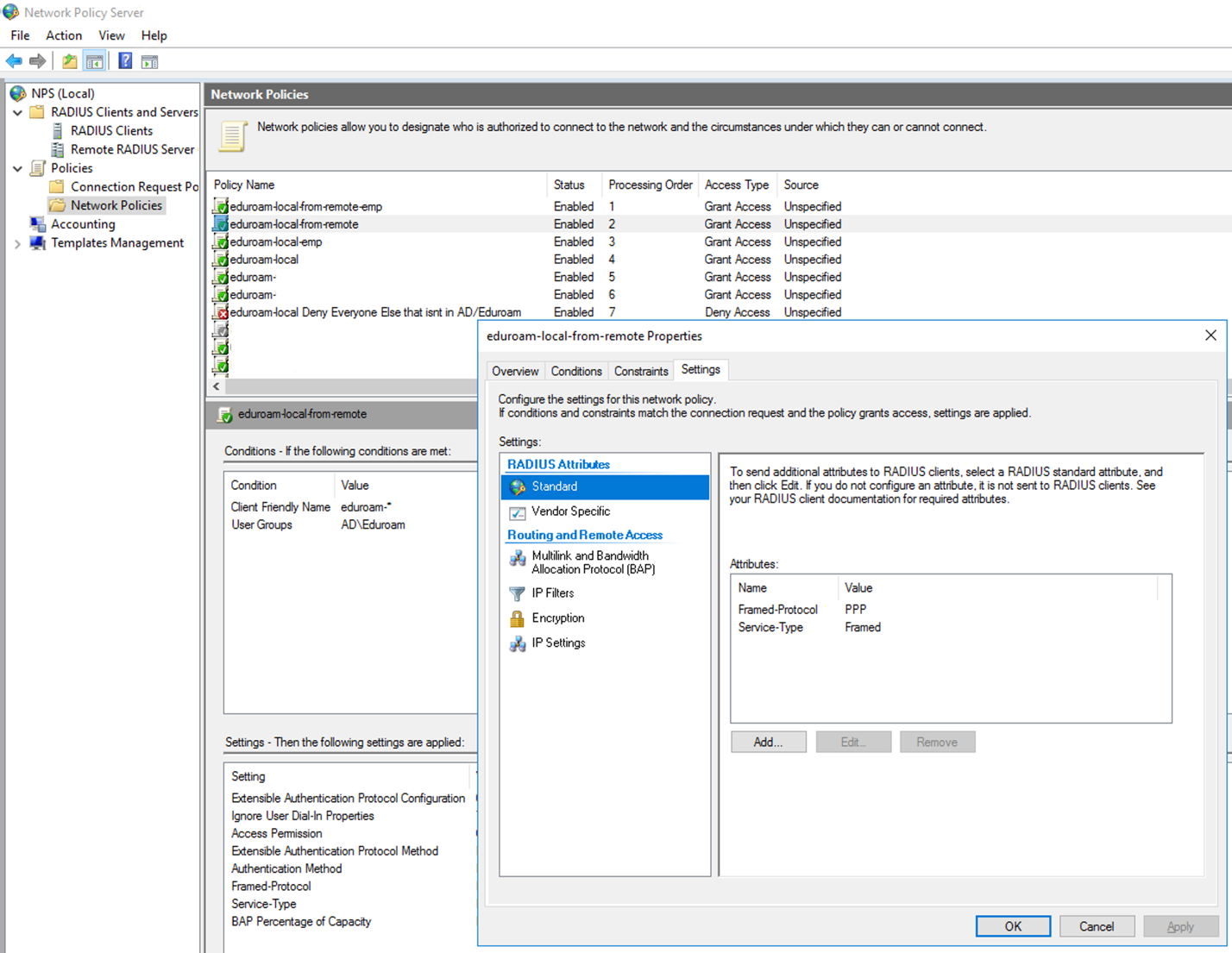
Legacy Has to be Left behind sometime..
A lot of sites were and still are using this to configure eduroam.. That is until September 2022, when Microsoft released an update for Windows 10 called Credential Guard but really became an issue in Windows 11 version 22H2. By default, Microsoft blocks EAP-PEAP MSCHAPv2.
EAP-PEAP with MSCHAPv2 is NOT secure anymore for several reasons. So many people running eduroam have to explain to their users to disable the setting or you get this error.
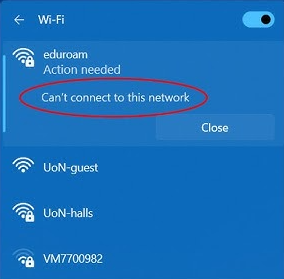
Microsoft is also pushing users to login to their Windows 11 computers using Office 365 credentials. Because NPS is not part of Office 365 without some major hacks, configuring these together is a nightmare if not almost impossible.
This is not a long term solution.. The recommendation is to move to using User Certificates with EAP-TLS, EAP-TTLS, or EAP-AKA. NPS has clunky support for EAP-TLS but doesn’t support these others. So how do we continue to use eduroam?
Enter Mist Access Assurance from HPE Juniper
Three years ago, Juniper announced Mist Access Assurance with some big promises. I was excited about it because we finally had a Mist replacement for ClearPass and NPS. From the start they didn’t support eduroam though, so I had to wait and see if it would live up to my dreams. Luckily, friends at large universities were pushing for eduroam support and it came quickly.
Then last year, Juniper on the heals of the acquisition by HPE announced Marvis Client App Onboarding in Mist Access Assurance at no additional cost. This is a game changer and I eagerly awaited it’s public release.
Mist AA now has a PKI built in that can manage all your certificates removing many of the barriers to entry that were keeping schools and universities on Microsoft NPS. The RADIUS server was finally being modernized. You can now push EAP-TLS with full Client/Server authentication using Certificates instead of Active Directory to your MDM based devices in Microsoft Intune and JAMF Pro. BUT even more you can now do a BYOD solution that makes the process as simple as possible to get certificates installed on client’s devices by just having them login with Office 365, Google, or Okta credentials.. including MFA capabilities and RADSEC. Now if only Internet2 would support RADSEC with eduroam like Europe.
Meet the Marvis Client App
So how HPE Juniper is accomplishing this is through an App that can be installed on all client types. There is an App in the Apple AppStore or the Android Google Play Store. There are versions for Windows, MacOS, and Linux and even ChromeOS. All you need is to send your users a Link that can EASILY be turned into a QR Code by your favorite tool that directs them to download the appropriate app and install the profile.
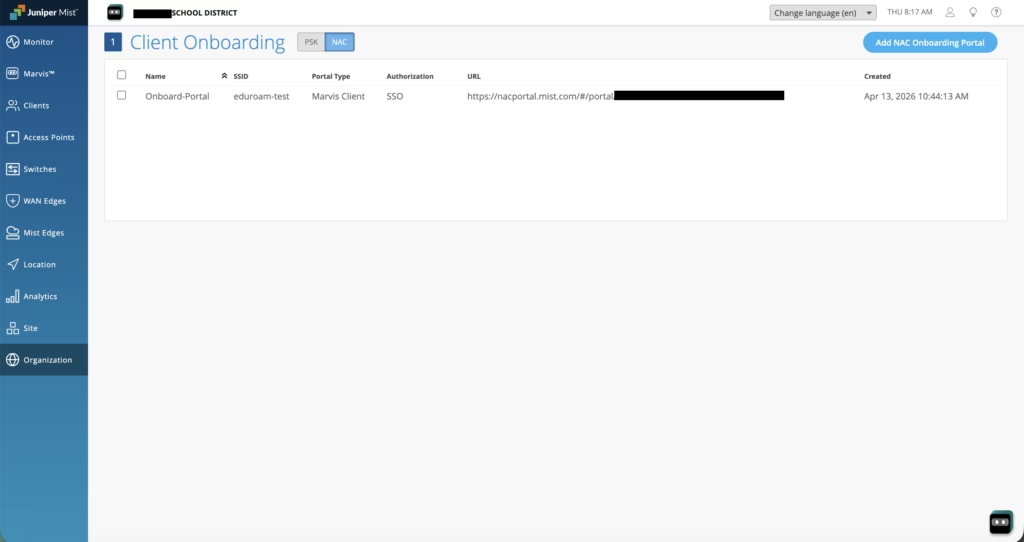
The first screen you get to is the login page for your Identity Provider (IdP) such as Office 365, Google, or Okta to authenticate.
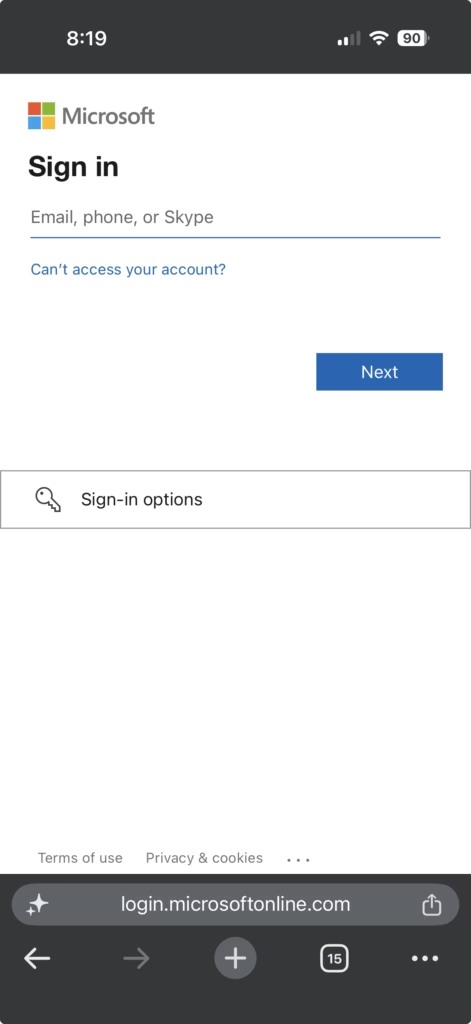
The value of this is that even if users get access to the Link, they have to know your user’s credentials, plus if you have MFA enabled on your accounts, they have to pass those checks as well. We finally have MFA enabled on 802.1X WPA3-Enterprise Networks.
Once your users login with their credentials and MFA token or Passkey, they receive this screen with options to Download and Install the App and the Install Network Profile.
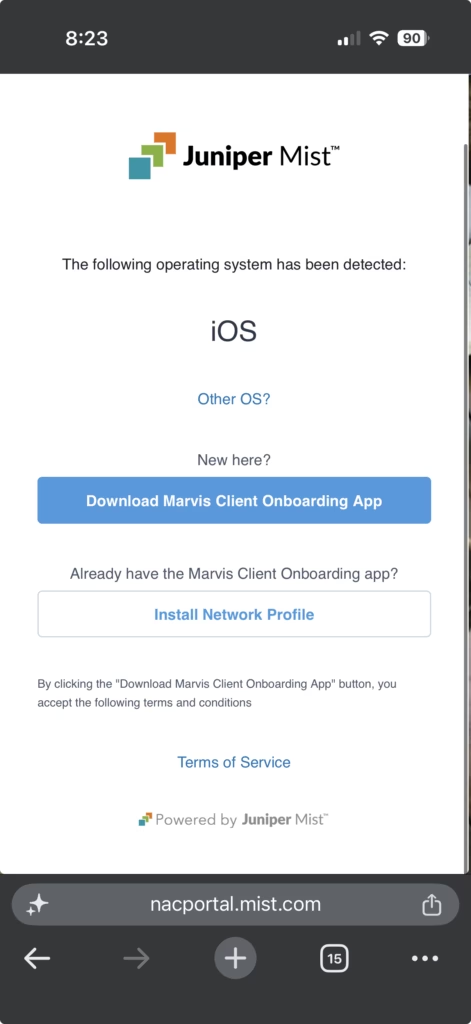
Clicking the download link takes you to the appropriate download such as the AppStore. You can also select the “Other OS?” button to download for other devices.
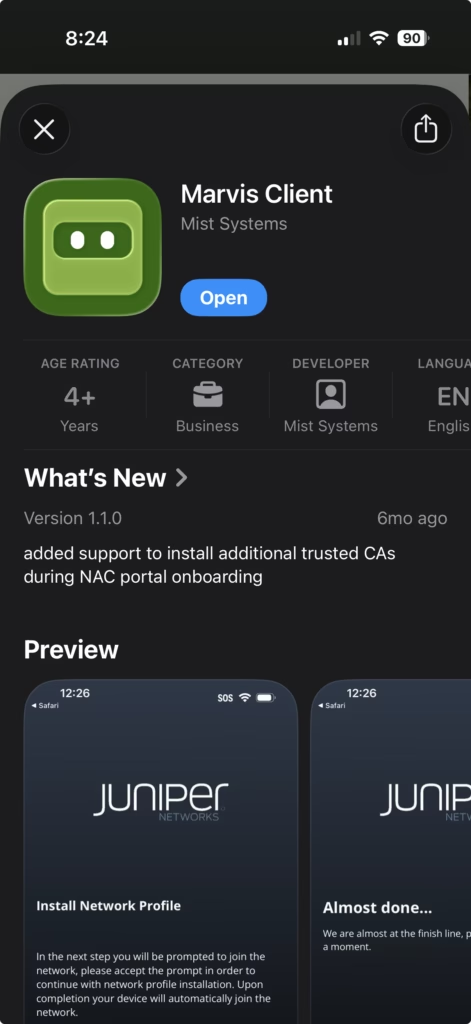
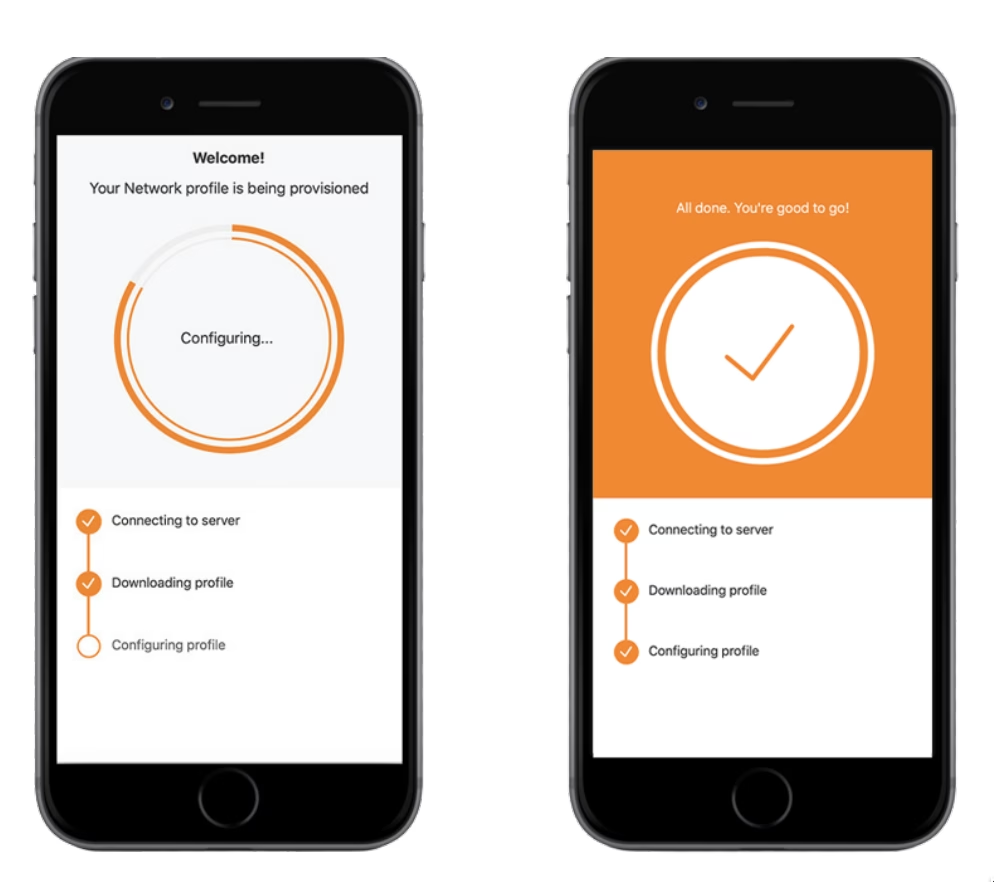
Once you have the app for your device installed, you return to the NAC Portal page and click the Install Network Profile button. That then opens the Marvis Client App and starts installing a Network Profile associated with the Credentials logged into through Identity Providers IdPs: Office 365, Google, or Okta. It’s doing like any other Single Sign-On app. Groups are handled by the appropriate IdP that can then be passed to Mist Access Assurance to assign everything from VLANs to any RADIUS attribute that you need.

If the network is not available, the Marvis Client App will show the configured SSID such as eduroam but not show it connected and greyed out.
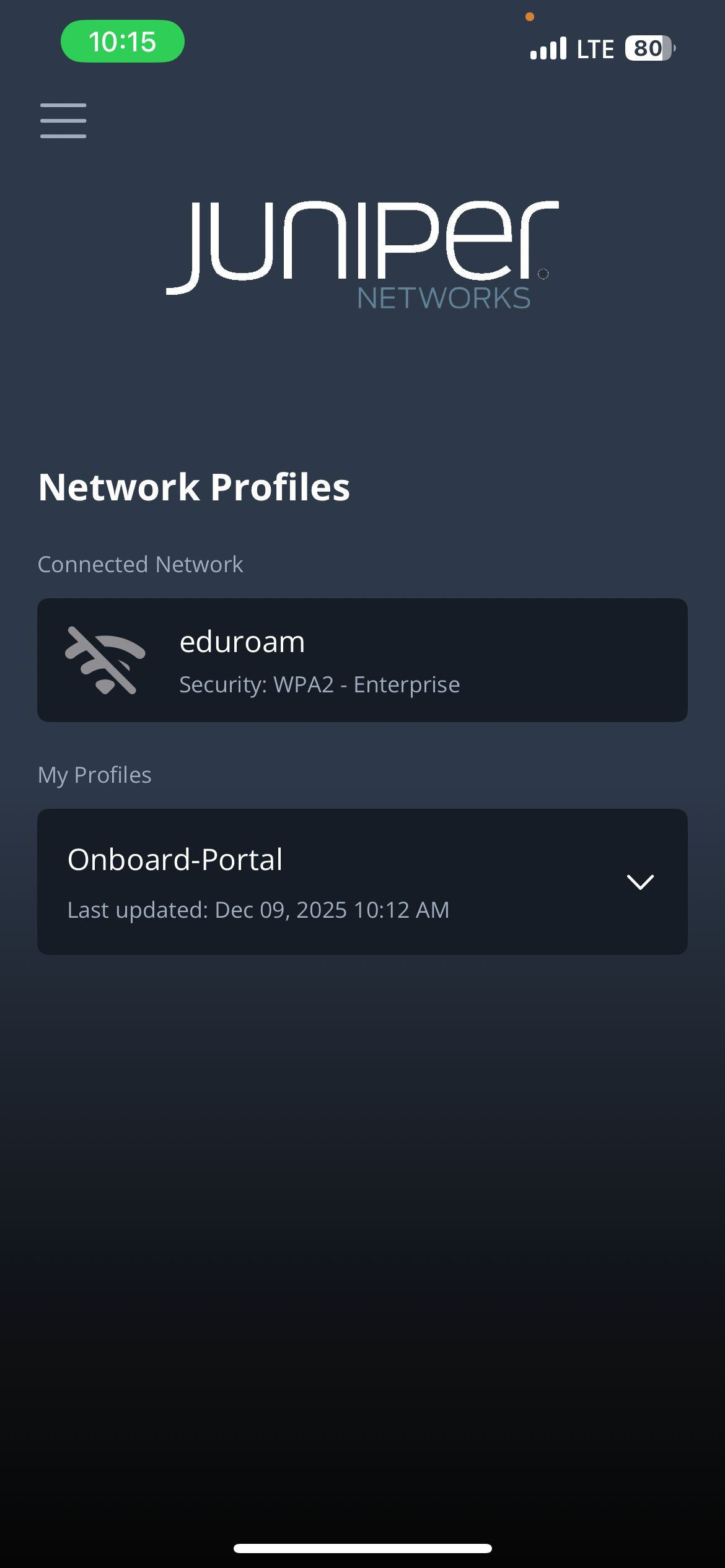
Once the network is available the Wi-Fi signal changes to Green and shows as a Connected Network and includes the Wi-Fi Security configured for the network.
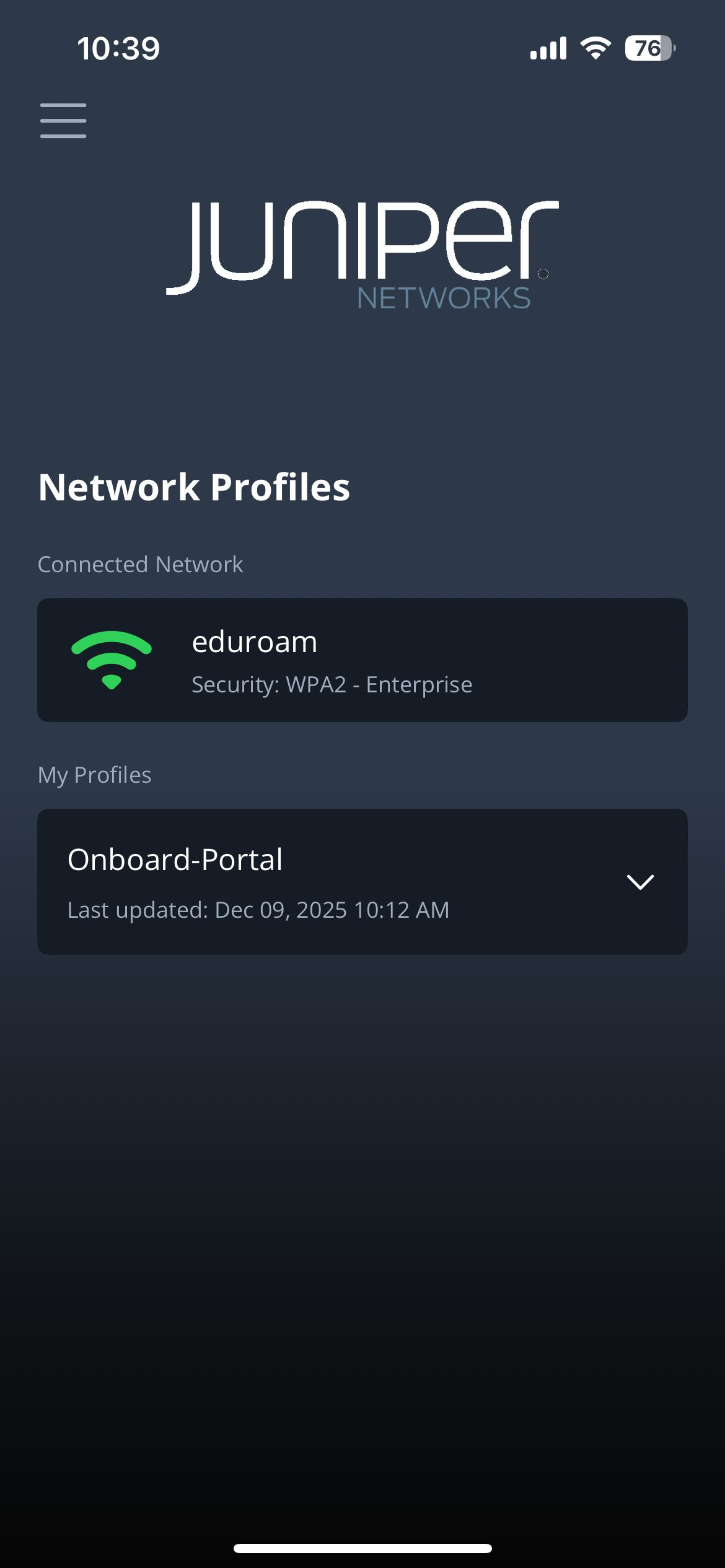
Without any manual labor by a Network Engineer, an EAP-TLS Certificate is created using the Mist PKI and is installed on the device authenticating the device against the network. The process only requires end users to do things they already know how to do.. login using their IdP credentials, to install an App, click a link, and let the App handle all the heavy lifting.
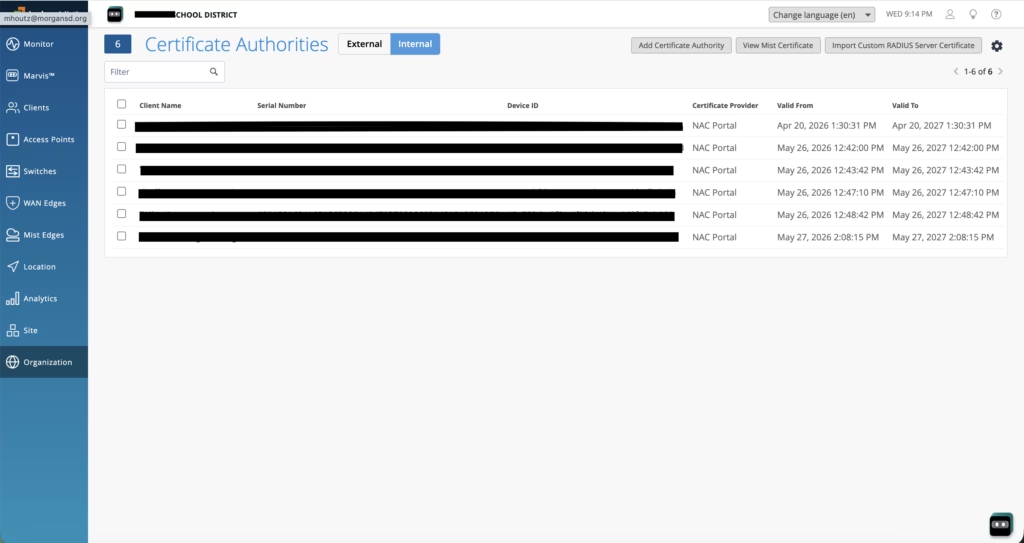
HPE Juniper has this working right now. You may have to request access to it still even though it is available for anyone. It can be set up as I did and was showing off at Internet2’s Tech Exchange last December. But that is not what was announced at the recent Mobility Field Day 14 event.
What’s New IN Access Assurance?
So if all this was announced last year, what NEW things could HPE Juniper announce this year? Well actually a lot.
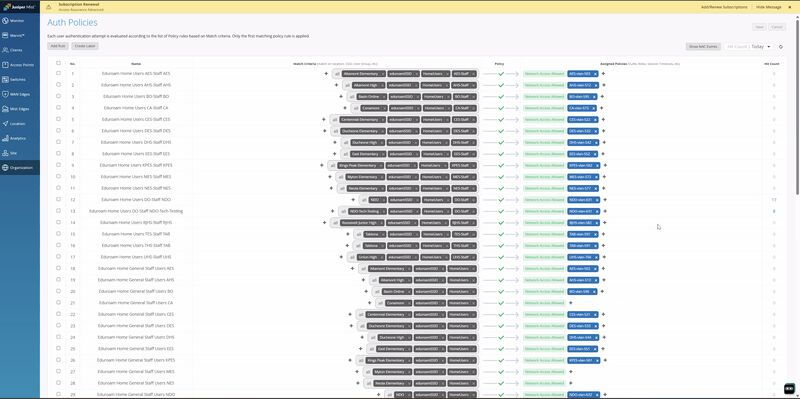
Remember my mentioning earlier that Microsoft NPS follows a firewall rules like layout of the first policy is tested, then the next, then next until there is a match? Well Mist Access Assurance follows the same layout.. but there are some big changes. These just blow old NPS out of the water and continue to bring RADIUS into the modern world.
NAC Policy Dry Run
First up is the ability to test out policy changes. You can now create a policy and test it out before you deploy it. You set it to a Dry Run mode that allows you to find issues with your configuration in real conditions but reducing impact to your end users that can be rolled back quickly.
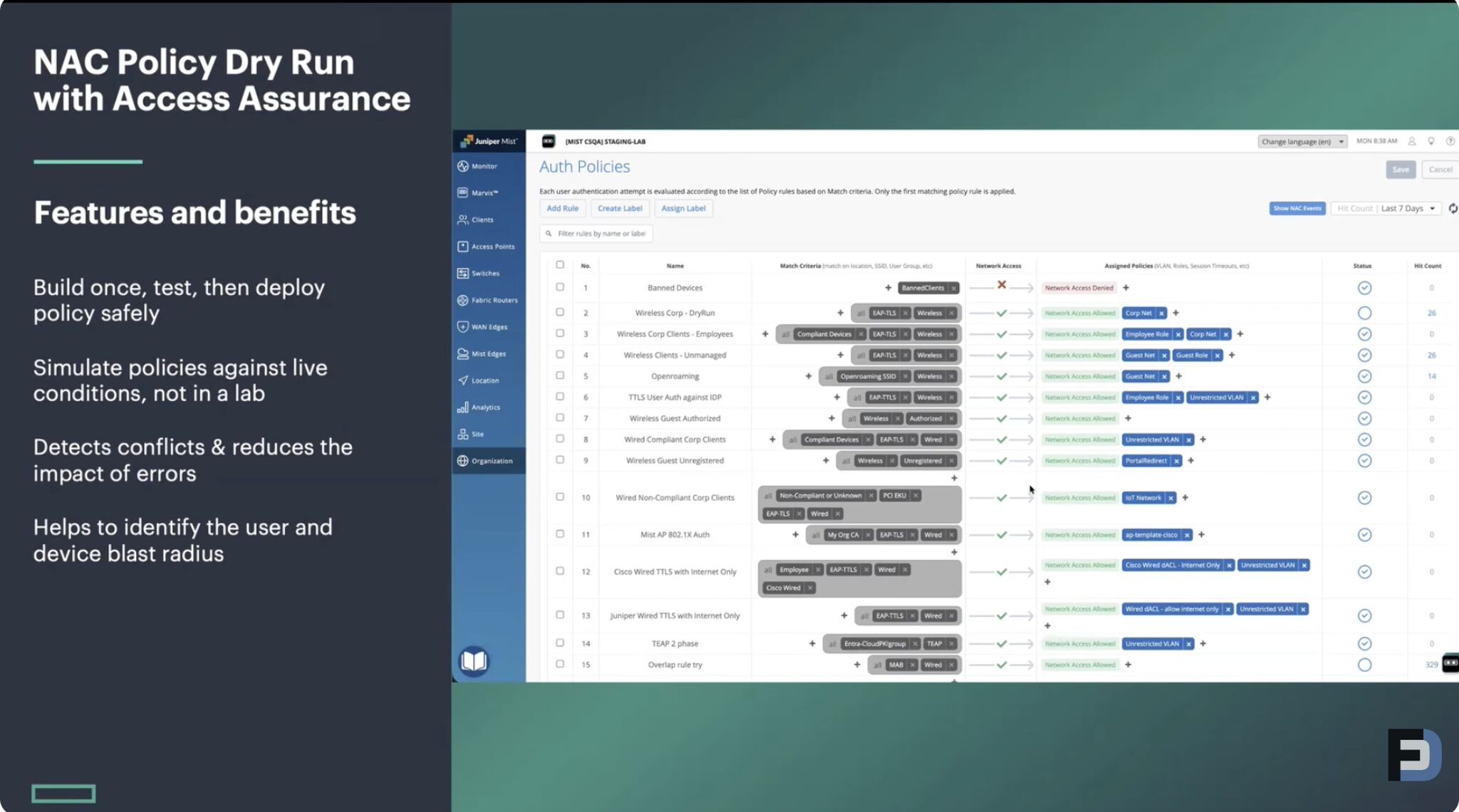
Microsoft NPS never had anything like this. It was a set it and find out if you broke something.
NAC Policy Validation
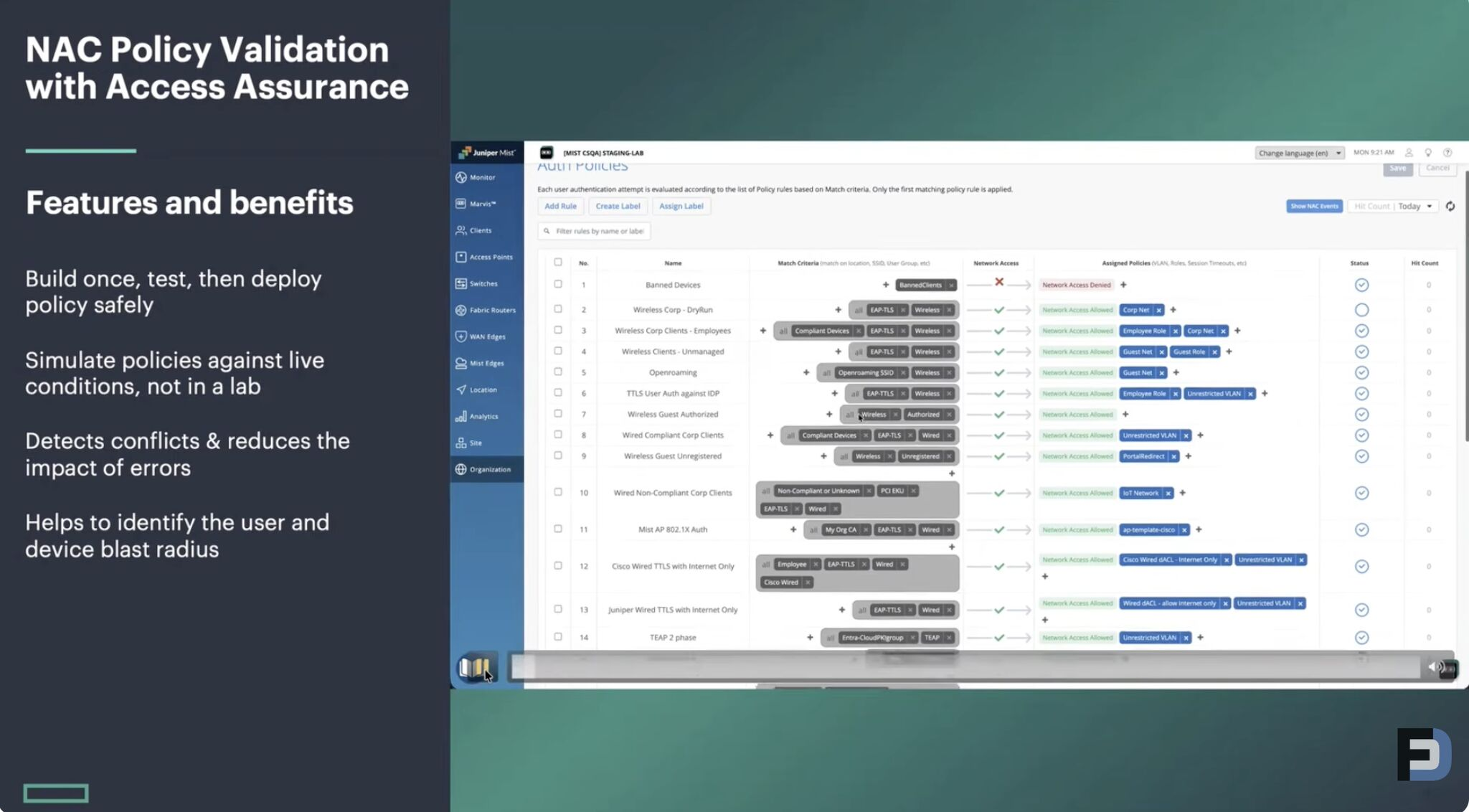
The second change is Mist Access Assurance now allows you to validate changes. You can test your policies against live conditions to find and troubleshoot errors as you are building out the policies.
HPE Aruba Central NAC
Now that HPE and Juniper are one company, they are pushing a similar authentication for RADIUS in their Aruba Product Lines with HPE Aruba NAC. While no announcements came as to help us better differentiate where the lines between HPE vs Juniper are drawn, it is good to see the progress being brought to both lines.
HPE is bringing similar new features into HPE Aruba in Central NAC. HPE didn’t dig into more details, but I expect those to come at HPE Discover in Las Vegas in a few weeks. It sounds like ClearPass isn’t going anywhere for sites that need on premise solutions, but Central NAC and Mist Access Assurance are the next generation replacement for ClearPass.
These changes really feel like we finally have great solutions for replacing Microsoft NPS. I’ve personally shared these changes with many colleagues and anyone looking for a better replacement for NPS.
Catch the full coverage of the announcements from HPE at Mobility Field Day 14.